

SolarDesk
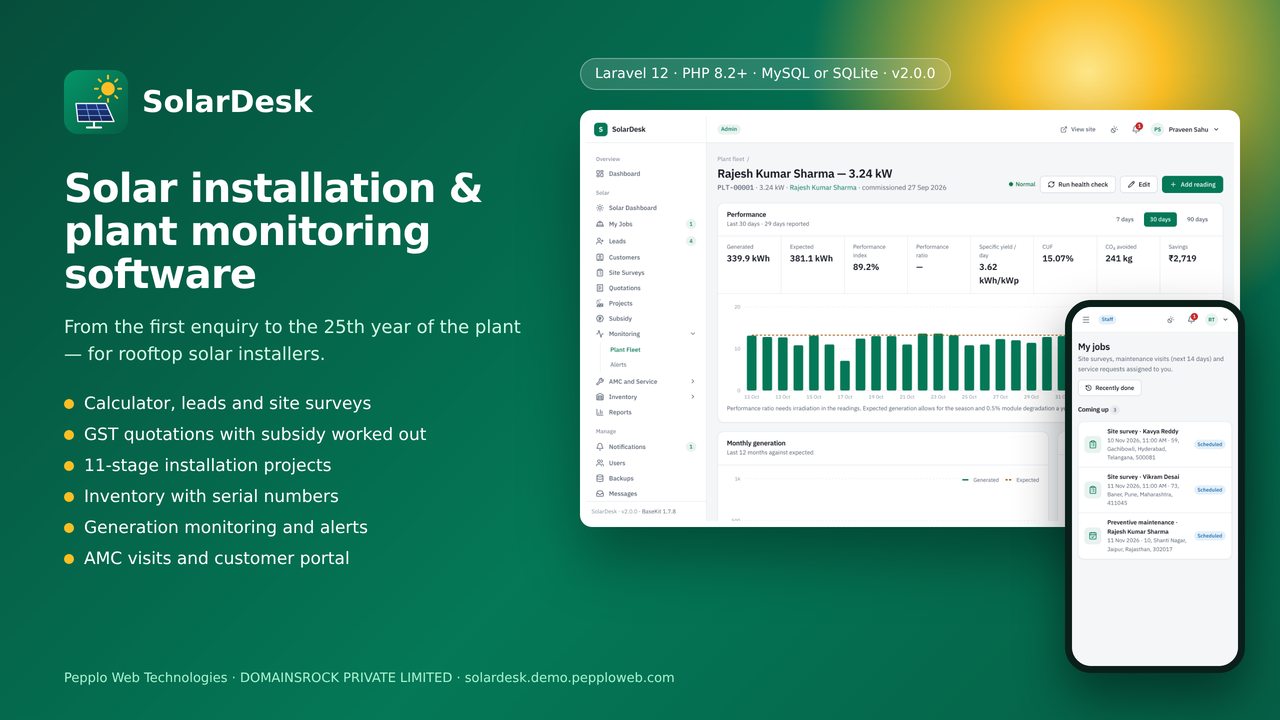
Solar installation and plant monitoring software for rooftop solar installers, on your own domain.



Overview
What SolarDesk does
SolarDesk runs a rooftop solar installation business in one place. Enquiries come in from your website's savings calculator and quote form; your team surveys the roof, sends a GST quotation with the subsidy worked out, and turns the accepted quotation into an installation project.
Installations on time
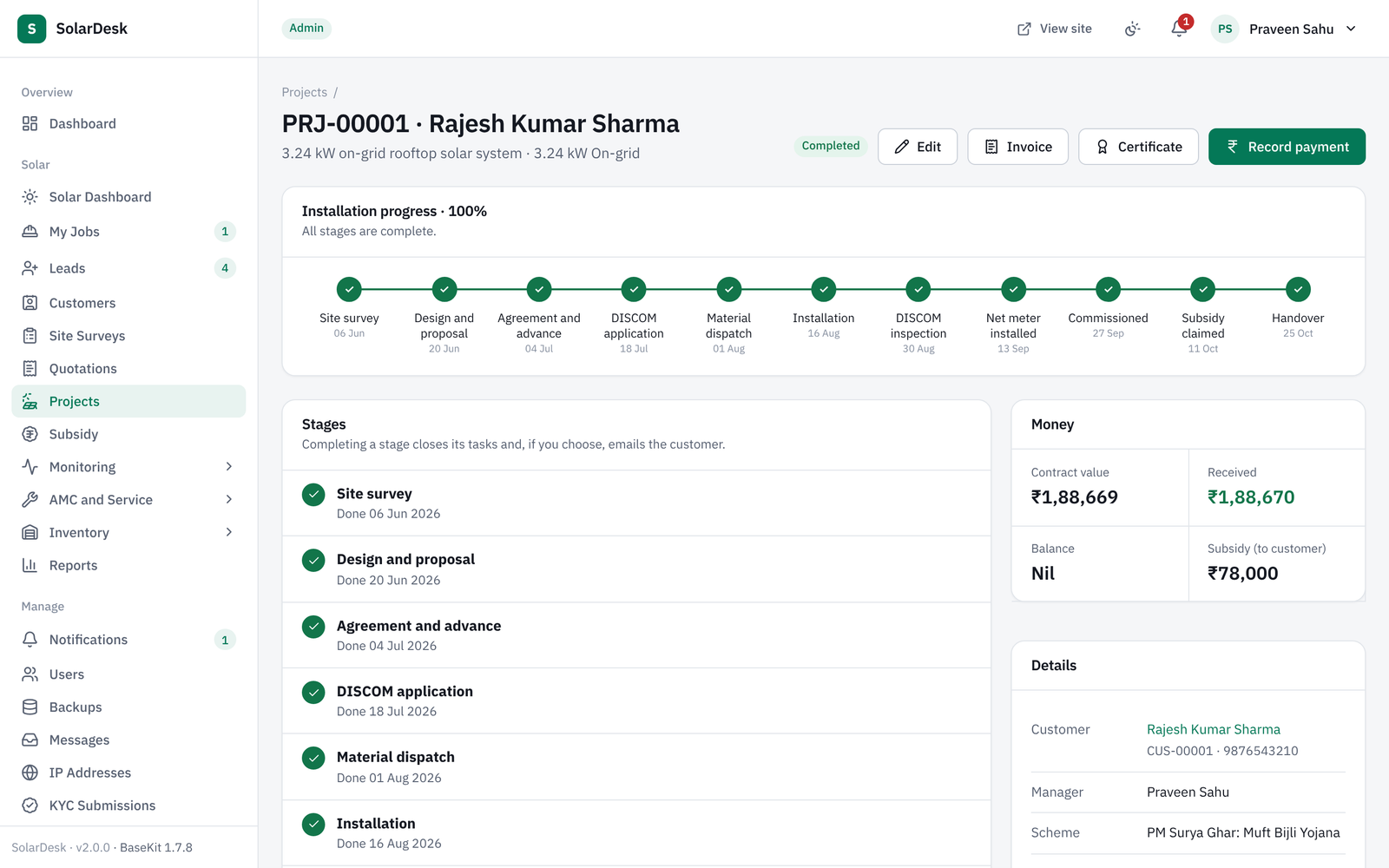
Every project moves through 11 stages, from survey and DISCOM application to net meter, commissioning, subsidy and handover, with dates, tasks, payments, a tax invoice and a commissioning certificate. Material is issued from stock with serial numbers.
Plants that keep performing
Commissioning creates the monitored plant. Readings arrive by hand, CSV or the data-logger API; SolarDesk compares generation with what the plant should produce, flags under-performance and faults, and raises alerts.
Recurring AMC revenue
Sell maintenance plans priced per kW, schedule visits over the contract, complete them on a phone with a checklist and photos, and send renewal notices.
A portal for your customers
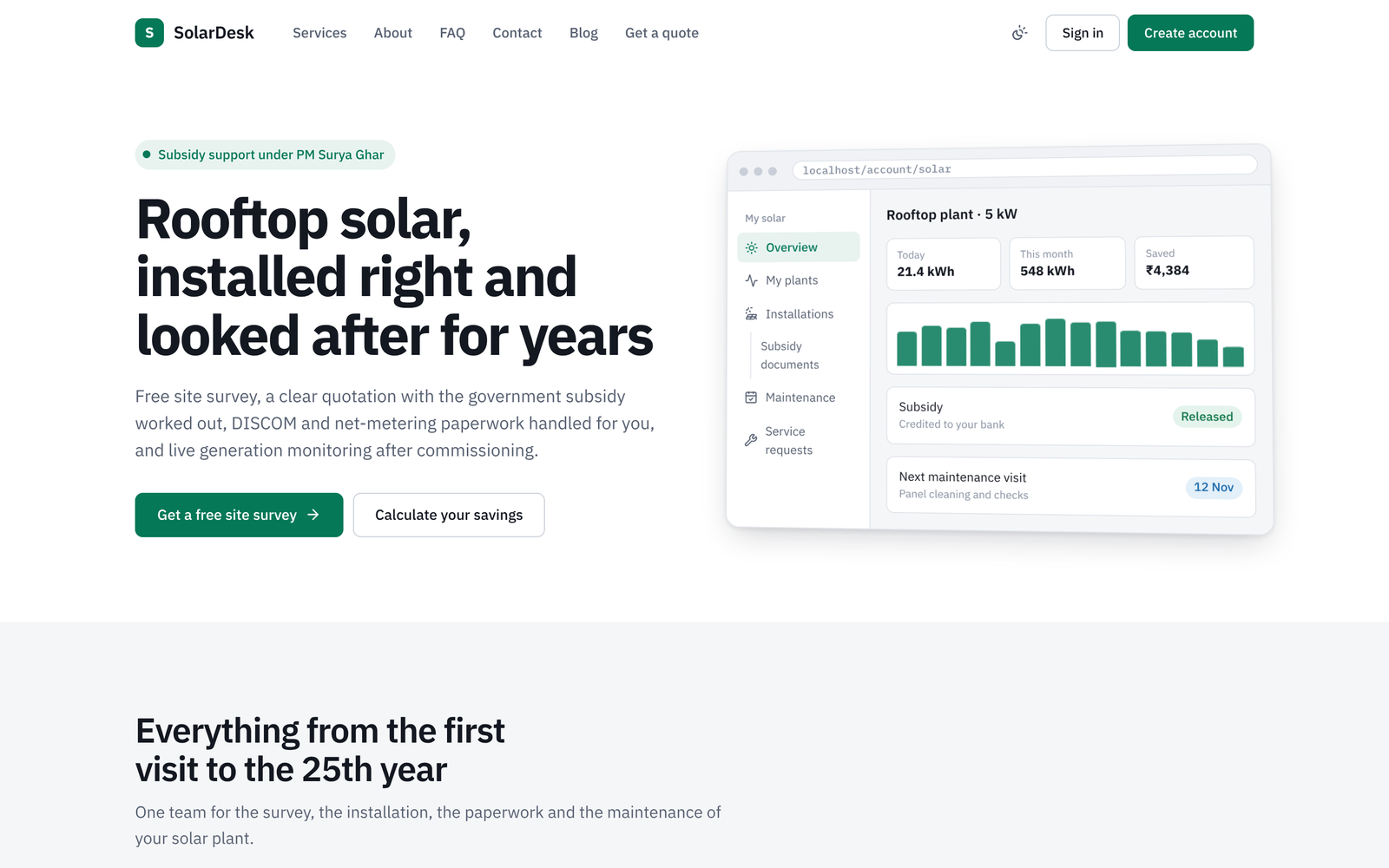
Customers see their plant's generation and savings, installation progress, documents, invoices, subsidy papers and maintenance visits, accept quotations online and raise service requests.
Built on BaseKit
SolarDesk runs on BaseKit 1.7.8: web installer, PepploWeb Marketplace licensing, one-click updates, admin, staff and customer panels, staff permissions, two-step sign-in, GDPR tools, notification centre, cron jobs page, database backups and demo mode.
SolarDesk is a product of Pepplo Web Technologies and DOMAINSROCK PRIVATE LIMITED. Subsidy amounts are estimates from the slabs you set; SolarDesk is not affiliated with any government scheme or DISCOM.
- Savings calculator and free-quote form on your website
- Site surveys with a phone-first field form, photos and GPS
- GST quotations with the PM Surya Ghar subsidy worked out
- 11-stage installation projects with DISCOM and net metering
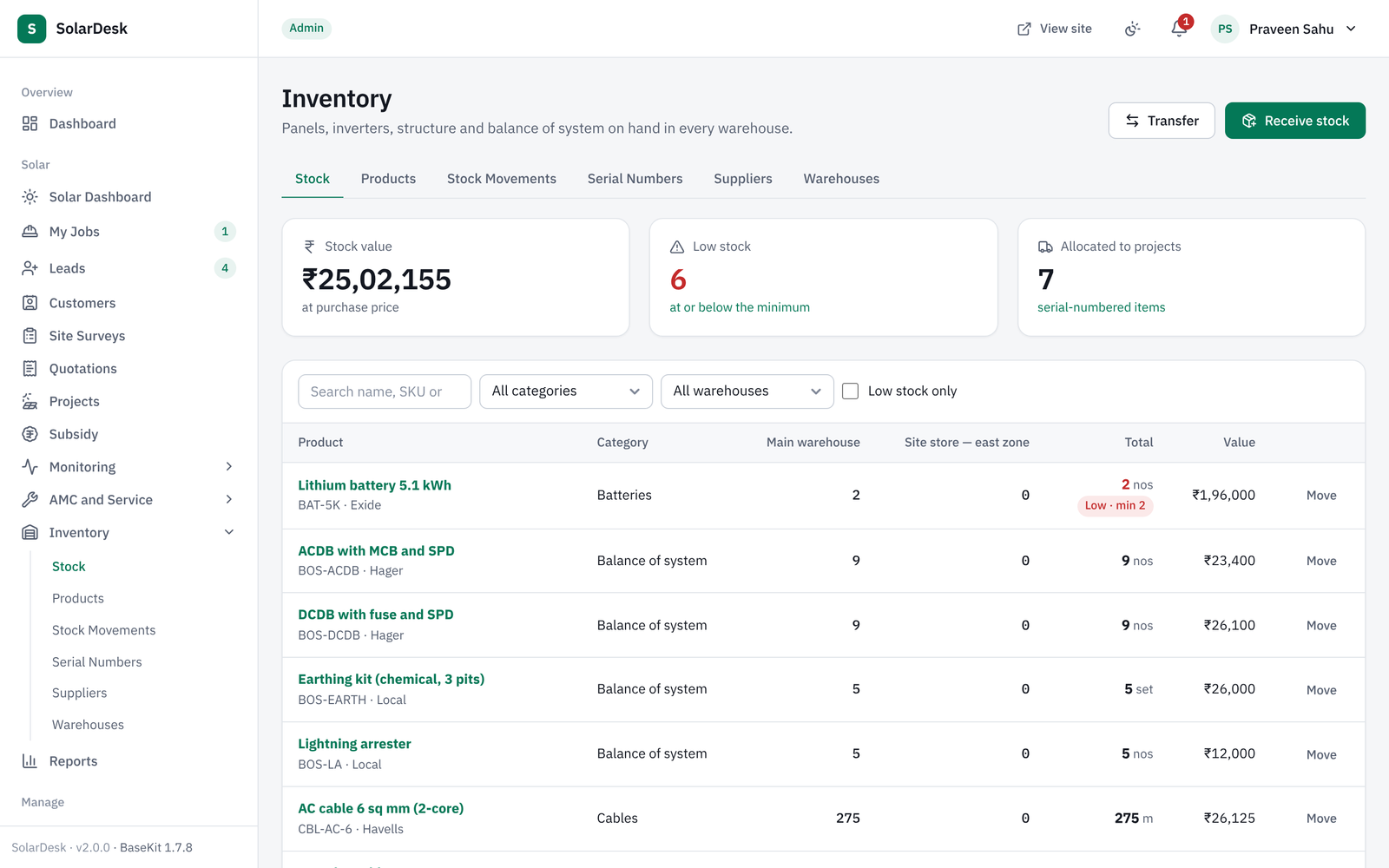
- Panel and inverter inventory with serial numbers
- Generation monitoring with alerts and a data-logger API
- AMC contracts, maintenance visits and service requests
- Customer portal with generation, documents and invoices
- Web installer, one-click updates and demo mode
Features
Website and leads
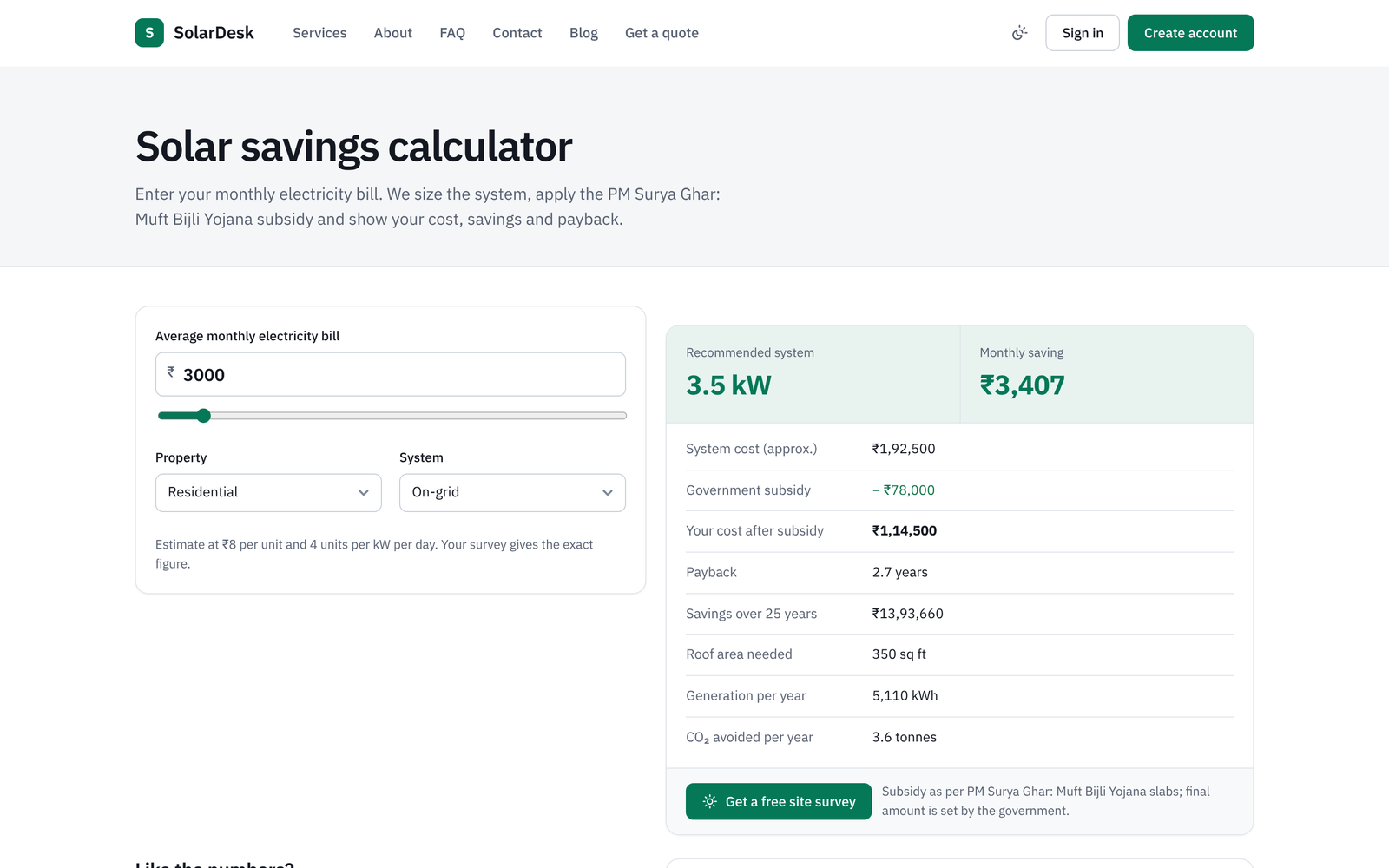
- Savings calculator page and homepage section
- Free-quote form with captcha
- Installation tracking by project code and phone
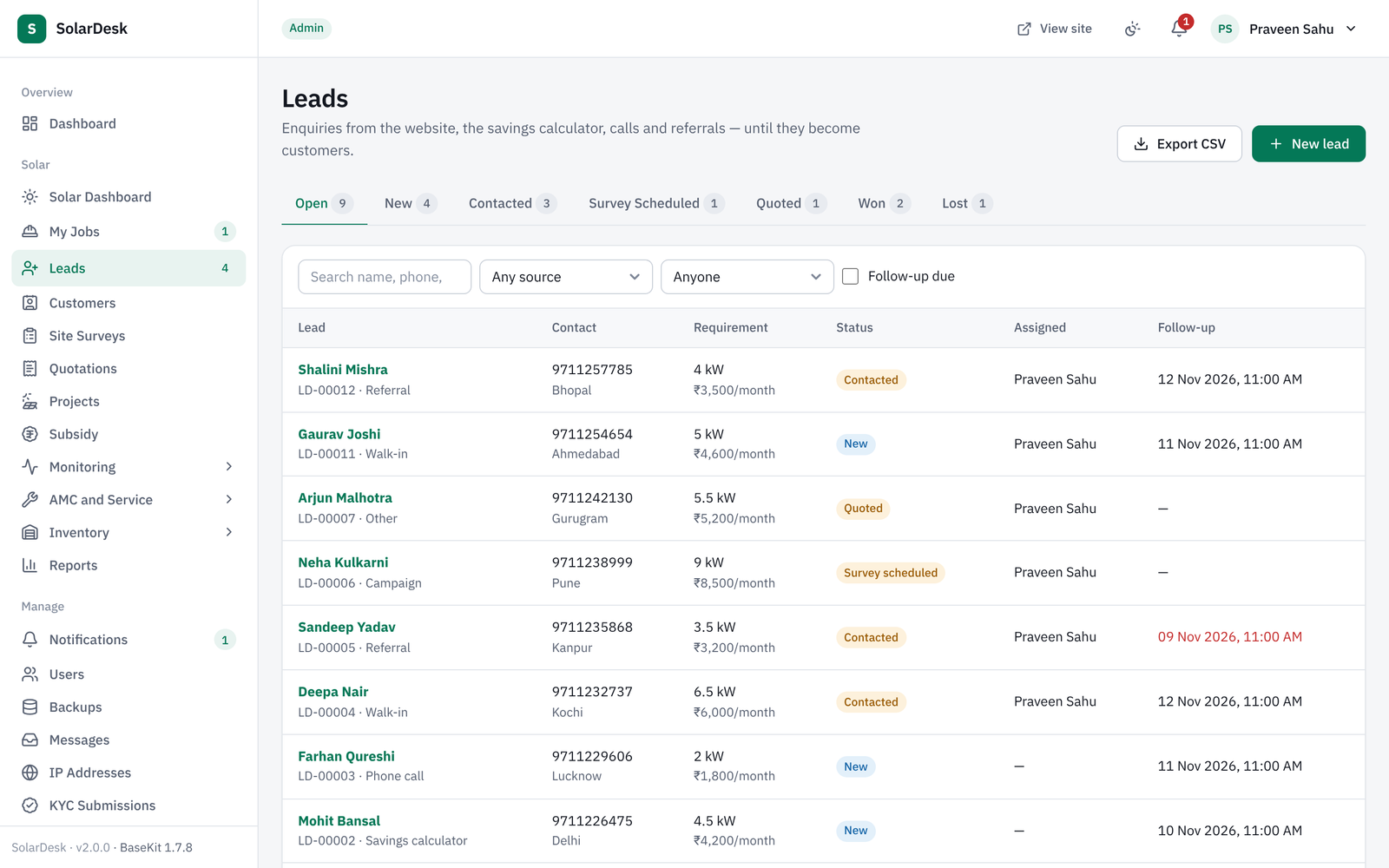
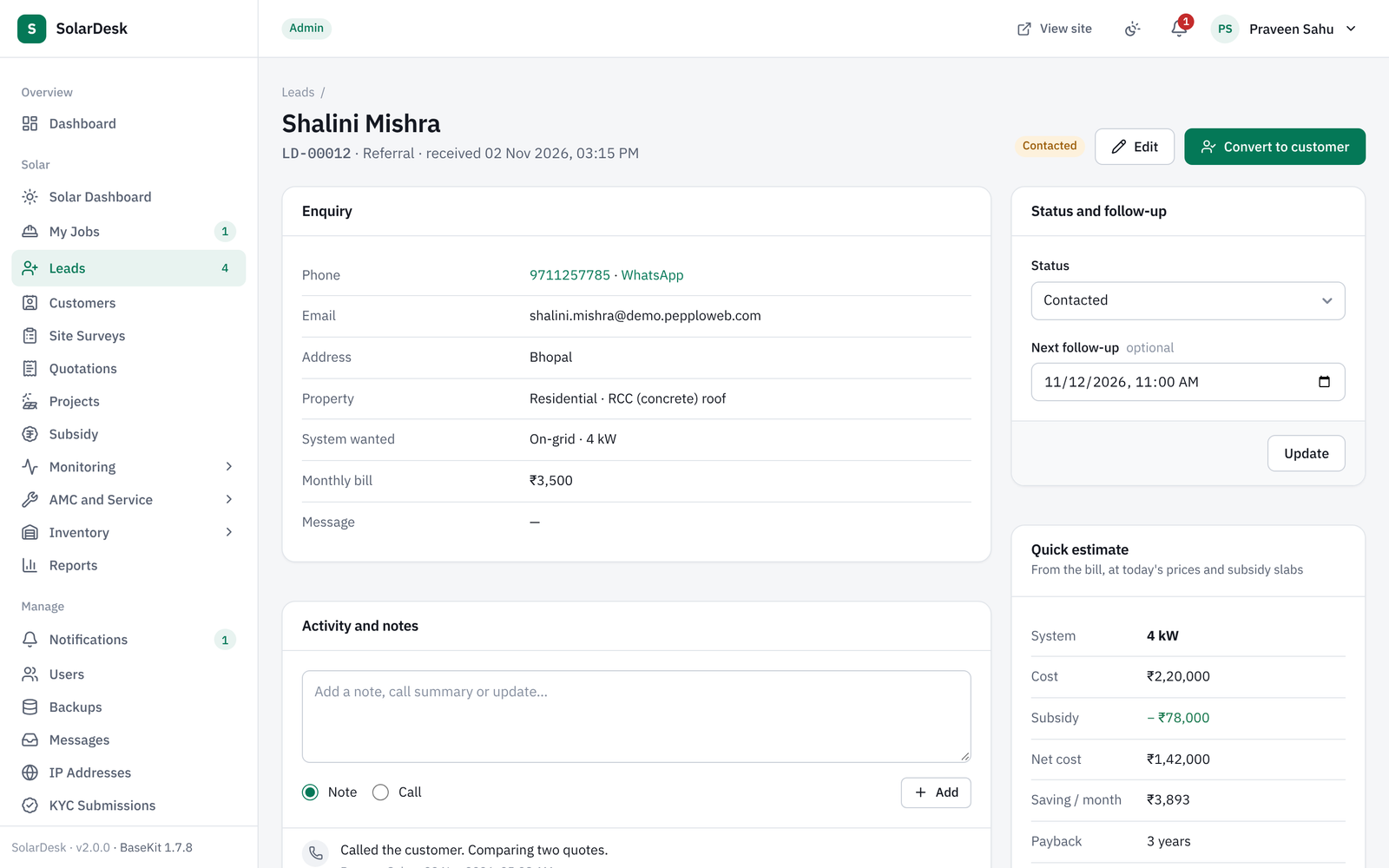
- Leads with sources, pipeline, follow-ups and call log
- Convert a lead to a customer and book a survey
- Duplicate customer warning
Surveys and quotations
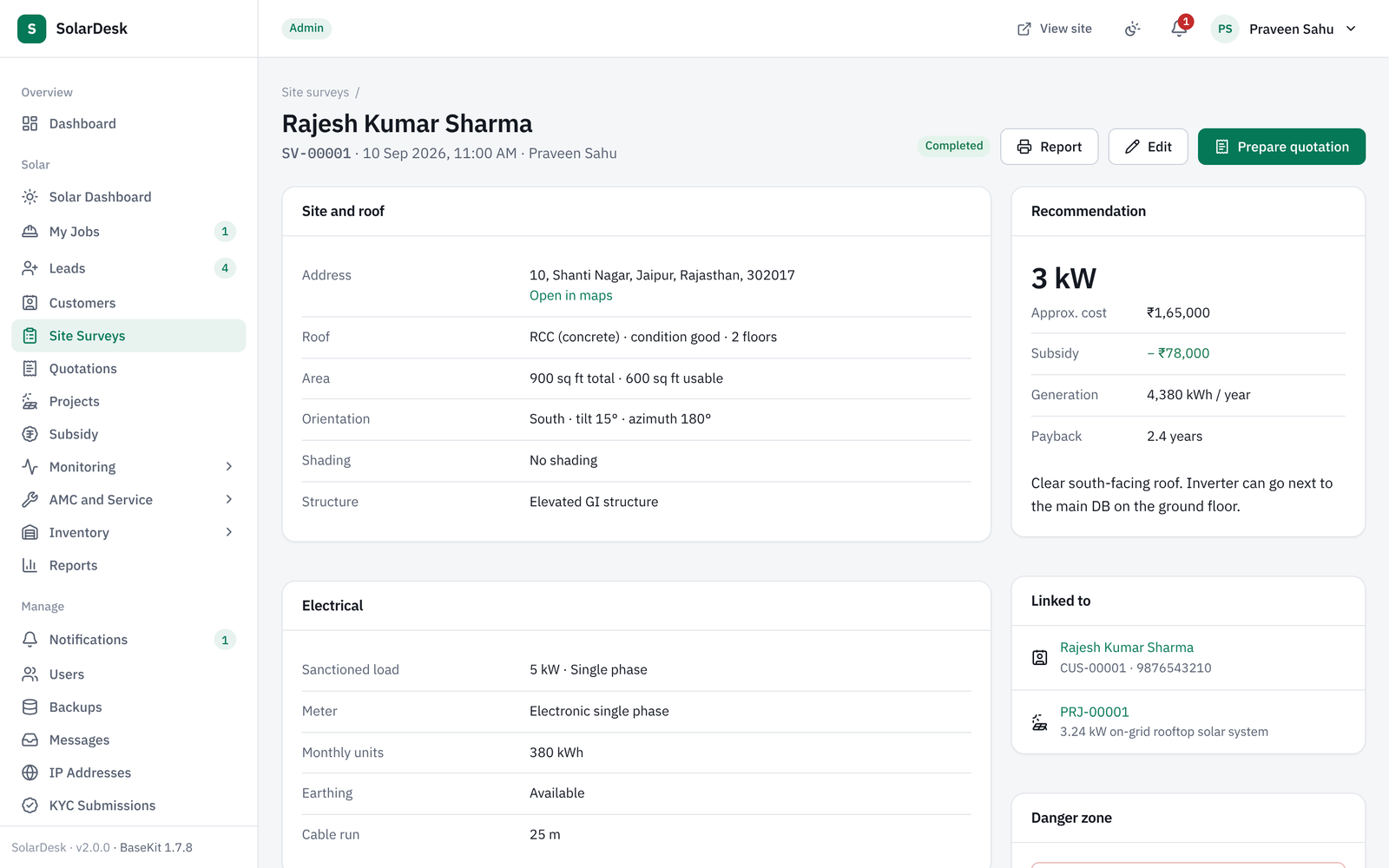
- Site surveys: roof, orientation, shading, load, meter, earthing
- Photos, GPS and checklist; recommended system size
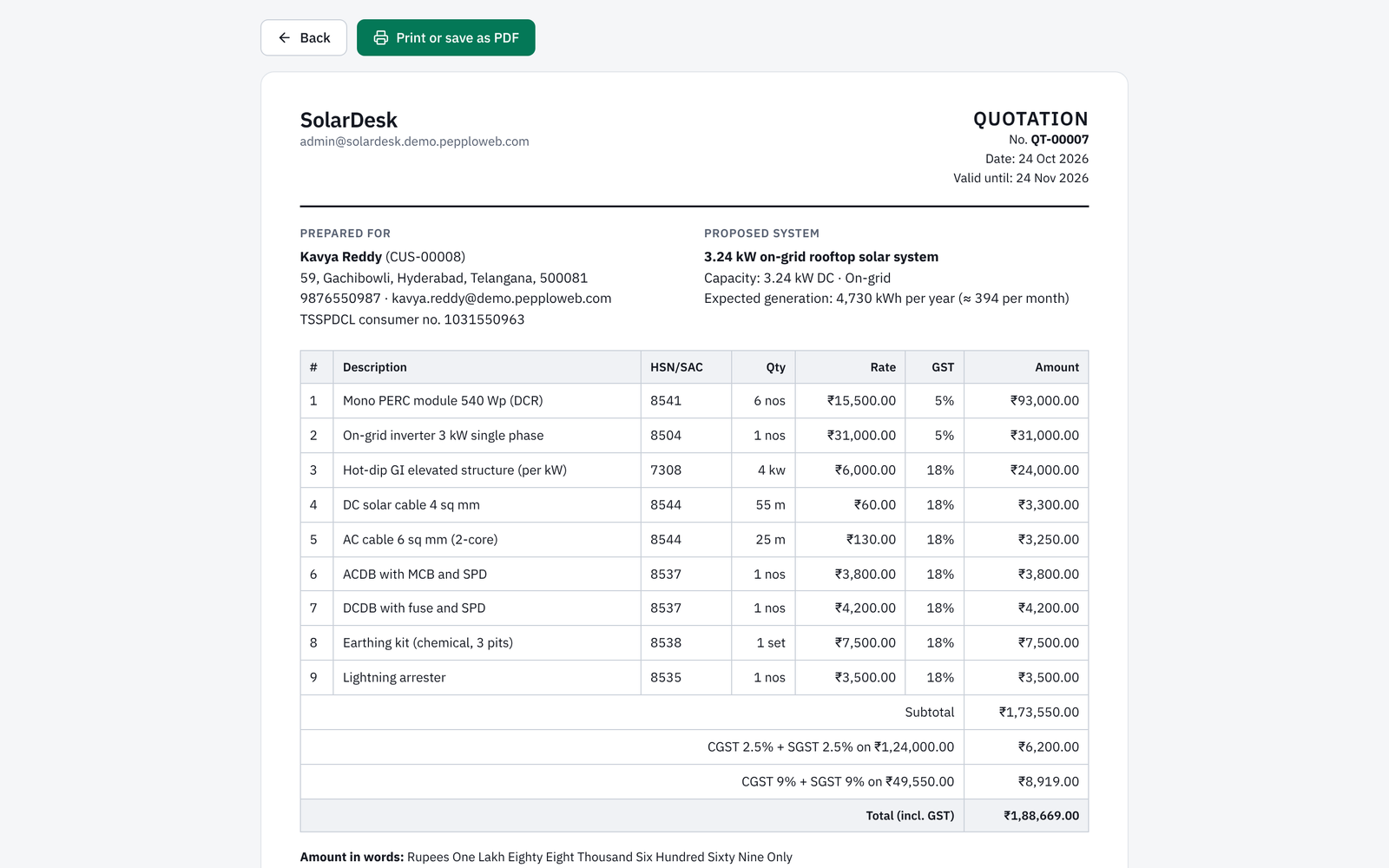
- Quotations with GST per line, discount and subsidy
- Suggested bill of materials for any kW
- Send by email or SMS; public link with Accept and Decline
- Printable quotation and survey report
Installation projects
- 11 stages from survey to handover, with customer emails
- Kanban board and tasks
- Material issue and return with serial numbers
- Payments, receipts and tax invoice
- Commissioning certificate
- Commissioning creates the plant and the free AMC
Subsidy documentation
- Subsidy case per project (PM Surya Ghar or state scheme)
- Application number, milestones and amounts
- Document checklist with upload, verify and reject
- Customer uploads from the portal
- Status emails
Inventory
- Panels (with DCR flag), inverters, batteries, structure and BOS
- Warehouses and suppliers
- Purchases, transfers, issues, returns and adjustments
- Serial numbers with status and warranty
- Low-stock flags and stock value
Generation monitoring
- Plant fleet with health: normal, under-performing, fault, no data
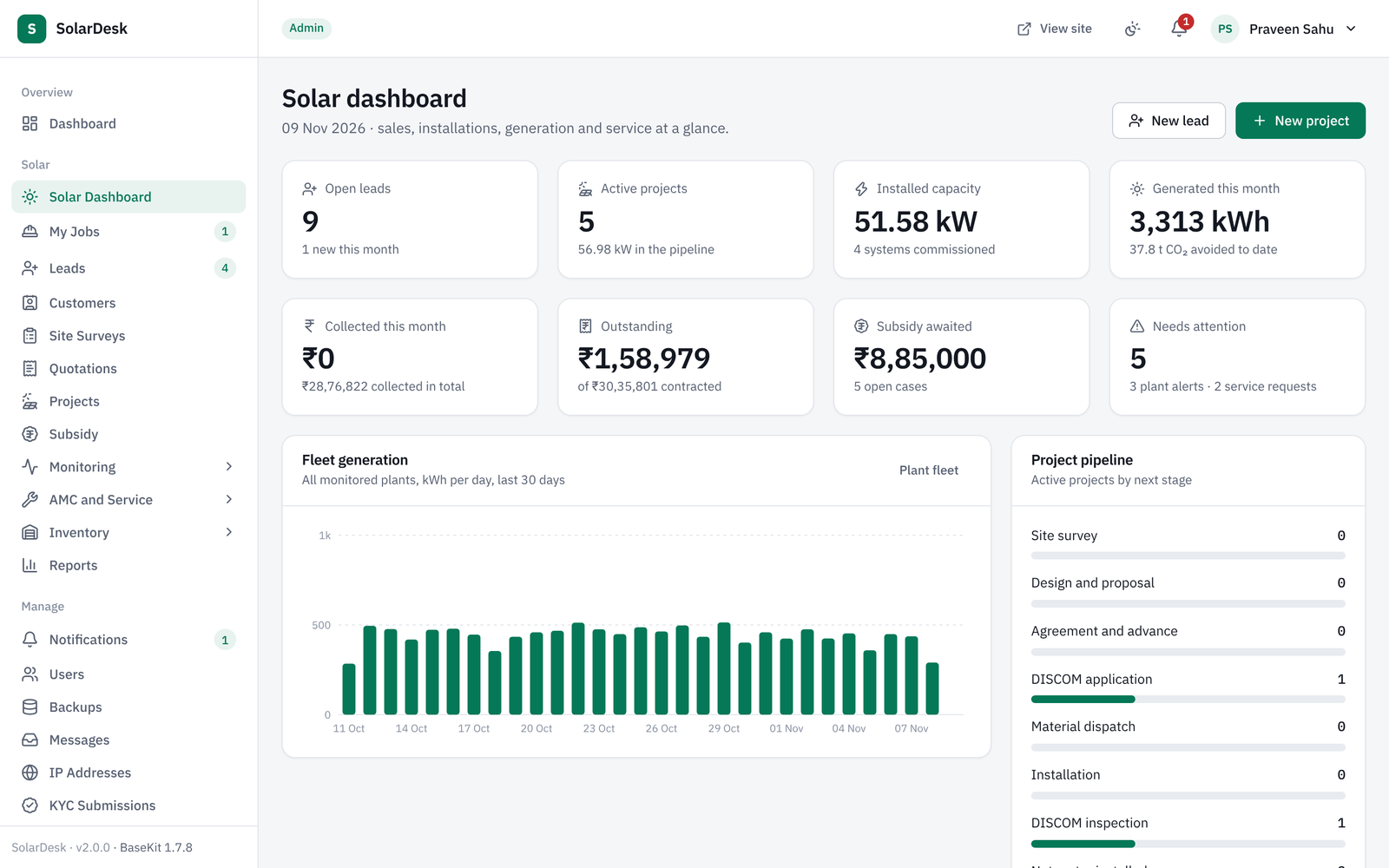
- Daily and monthly generation against expected
- Performance index, PR, specific yield, CUF, CO₂ and savings
- Manual readings, CSV import and data-logger API
- Alerts with acknowledge, resolve and service request
AMC and service
- AMC plans priced per kW
- Visits spread over the contract
- Visit checklist, findings, photos and customer rating
- Reminders and renewal notices
- Service requests with replies and internal notes
- Technician 'My jobs' screen for phones
Customer portal
- Plant generation and savings
- Installation progress
- Documents, invoices and subsidy papers
- Quotations to accept online
- Maintenance visits and service requests
Admin and operations
- Solar group first in the sidebar, with numbers for new leads and alerts
- Solar settings: company, pricing, subsidy slabs, monitoring, AMC, numbering
- Reports with CSV exports
- Daily automatic checks from cron
- Staff permissions per area
- Demo mode with automatic reset of sample data
Security
- Two-step sign-in and per-account sign-in limits
- Allow-list HTML sanitiser and baseline CSP
- Documents stored outside the web root, uploads checked by content
- Plant API keys per plant, rate limited
- Signed, sealed license file
Buy a license
| Plan | Sites | Updates | Support | Price | |
|---|---|---|---|---|---|
| Annually | 1 | 6 months | 3 months | ₹5,999 | Sign in to buy |
| Biennially | 1 | 12 months | 6 months | ₹9,999 | Sign in to buy |
| Triennially | 1 | 18 months | 9 months | ₹14,999 | Sign in to buy |
| Lifetime | 1 | 12 months | 12 months | ₹19,999 one-time |
Sign in to buy |
Extensions
All extensions are inside the main download. Captcha, Pages, Blogs and Solar Installation & Monitoring are included free with every license; paid extensions unlock as soon as you buy them for your SolarDesk license.
Included with every license
Built-in image captcha or Google reCAPTCHA v2/v3 on sign-in, sign-up, password reset and contact forms.
Details
Captcha protects your public forms from automated sign-ups and spam. Use the built-in image captcha, which needs no outside account, or Google reCAPTCHA v2 (checkbox) or v3 (invisible score).
Choose which forms are protected, so honest visitors on low-risk forms are never slowed down. Captcha is part of every BaseKit product and is always included.
- Built-in image captcha, no third-party account
- Google reCAPTCHA v2 checkbox and v3 invisible score
- Choose which forms are protected
- Adjustable reCAPTCHA v3 score threshold
- Works with light and dark themes
Works with version 2.0.0 or newer.
Create unlimited static pages and add them to the header or footer; starter About, Privacy, Terms, Refund and Shipping pages are created on install.
Details
Pages lets you publish any static page: About us, policies, landing pages. Starter pages are created on install with your company details filled in, so payment gateways can review your site quickly.
Each page has its own SEO title and description and can be linked from the header or the footer.
- Unlimited pages with a rich editor
- Starter About, Privacy, Terms, Refund and Shipping pages
- Company details filled in automatically
- Header and footer links
- SEO title and description per page
Works with version 2.0.0 or newer.
A blog with categories, cover images, comments and a latest-posts section for the homepage.
Details
Blogs adds a full blog to your site: posts with cover images, categories, comments you moderate, and a latest-posts section you can place on the homepage.
Posts are listed in the sitemap for search engines and the assistant can answer from them.
- Posts with cover images and categories
- Moderated comments
- Latest-posts homepage section
- Header menu link
- Posts in the sitemap
Works with version 2.0.0 or newer.
Leads, site surveys, quotations, installation projects, subsidy documents, inventory, generation monitoring, AMC and the customer portal.
Details
Solar Installation & Monitoring is SolarDesk itself. It adds the Solar group to the admin panel, the My solar pages to the customer panel, the savings calculator, quote form and installation tracking to your website, and the data-logger API.
It is included with every SolarDesk license and is always on.
- Leads, customers and site surveys
- Quotations and installation projects
- Subsidy documentation
- Inventory with serial numbers
- Generation monitoring and data-logger API
- AMC and service requests
- Customer portal and technician jobs
Works with version 2.0.0 or newer.
Paid extensions
Sign in and buy SolarDesk to add extensions to your license.
Online gateways that confirm payments automatically (QRPayments, PhonePe, Razorpay, Cashfree, Paytm, PayU, Instamojo, CCAvenue, Easebuzz, Stripe, PayPal, Flutterwave), plus wallet top-ups, pay-from-wallet and withdrawals.
Details
BaseKit's core already takes payments by manual UPI or bank transfer, confirmed by you. Wallet & Payments adds twelve hosted gateways that confirm payments on their own: the customer pays on the gateway's page, and the return and the webhook are both verified with the gateway and the amount is checked before the order is paid.
It also adds a customer wallet. Users top up with any gateway, pay orders from their balance in one click, and can withdraw by UPI, bank transfer or PayPal with your own limits and charges. Every movement is written to a locked ledger, and admins can credit or debit a wallet with a reason the user sees.
Admins get alerts for new payments, payments waiting for confirmation, amount mismatches and withdrawal requests.
- QRPayments, PhonePe, Razorpay, Cashfree, Paytm, PayU and Instamojo
- CCAvenue, Easebuzz, Stripe, PayPal and Flutterwave
- Returns and webhooks verified, amount checked before an order is paid
- Wallet top-up and pay from wallet at checkout
- Withdrawals by UPI, bank or PayPal with limits and charges
- Credit or debit any wallet with a reason
- Alerts for payments, mismatches and withdrawals
Needs: An account with the payment gateways you want to use; SSL certificate (HTTPS) for gateway returns
Works with version 2.0.0 or newer.
Answers visitors and customers from your pages, help articles, blog posts and your own answers, and hands questions it cannot answer to your team.
Details
Website Assistant reads your website (pages, help articles, blog posts, contact details and your own extra answers) and answers visitors and signed-in users in a chat window. It works with Claude or any OpenAI-compatible model, or in search-only mode without AI.
Signed-in users can ask about their own records, such as tickets or orders, and only their own data is ever read. When it cannot answer, it offers to send the question to your team as a support request.
- Answers from pages, help articles, blog posts and FAQs
- Claude, OpenAI-compatible models or search-only mode
- Users' own records, read-only
- Hands unanswered questions to your team
- Conversation log and feedback for admins
- Guests on or off, and shown in the user panel
Needs: An API key for Claude or an OpenAI-compatible model (optional; search-only mode needs none)
Works with version 2.0.0 or newer.
Your users chat with Claude, choose a model, keep their history and spend credits metered by usage.
Details
AI Assistant turns your site into an AI chat service. Users chat with Claude, pick a model, keep their conversations and spend credits that are metered by the tokens each reply uses.
You set the models, prices and limits; staff never see the API key.
- Chat with Claude models
- Conversation history, rename and delete
- Credits metered by usage
- Choose which models users can pick
- Admin settings for models and limits
Needs: An Anthropic API key
Works with version 2.0.0 or newer.
Users open tickets with a department and priority, attach a file and exchange replies with your staff.
Details
Support Tickets adds a help desk to the customer panel. Customers open a ticket in a department with a priority and an attachment, and follow the replies by email. SolarDesk's own service requests for plants stay in the Solar module; this extension is for general questions.
Staff answer from the admin panel, and admins are alerted to new tickets and replies.
- Departments and priorities
- File attachments checked by content
- Email when staff reply
- Alerts for new tickets and replies
- Staff permission to manage tickets
Works with version 2.0.0 or newer.
Help articles in categories with search, so visitors find answers themselves.
Details
Knowledge base publishes help articles in categories with a search box and a Help link in the header.
The Website Assistant answers from these articles too.
- Articles in categories
- Search
- Header Help link
- Articles in the sitemap
- Used by the Website Assistant
Works with version 2.0.0 or newer.
A chat bubble on your website; admins and staff reply from the admin panel.
Details
Live Chat puts a chat bubble on your website. Visitors write, and admins and staff reply from the admin panel.
The team is alerted when a new conversation starts.
- Chat bubble on every page
- Replies from the admin panel
- Alerts for new chats
- Works with the Website Assistant
Works with version 2.0.0 or newer.
Banner adverts or ad-network code in placements, with dates and impression and click counts.
Details
Ad Manager shows image banners or ad-network code (such as Google AdSense) in placements on your website, with a start and end date.
Impressions and clicks are counted. Only admins can add ad code; staff can manage image adverts.
- Image banners and ad-network code
- Placements across the site
- Start and end dates
- Impression and click counts
- ads.txt
Works with version 2.0.0 or newer.
Dashboard and homepage announcements for all users, members or staff, with dates.
Details
Announcements shows messages on the user and admin dashboards and, if you like, as a banner or popup on the homepage.
Choose who sees each one and when.
- Dashboard banners
- Homepage banner or popup
- Audience: everyone, members or staff
- Start and end dates
Works with version 2.0.0 or newer.
Turn long links into short ones on your domain and count the clicks.
Details
Short URL makes short links on your own domain and counts how often each one is clicked.
- Short links on your domain
- Click counts
- Custom aliases
Works with version 2.0.0 or newer.
Page views per day, top pages, referrers, browsers and devices.
Details
Visitors History records page views on your public website and shows visits per day, top pages, referrers, browsers and devices.
- Visits per day
- Top pages and referrers
- Browsers and devices
- No outside analytics account
Works with version 2.0.0 or newer.
Block unwanted email addresses or domains, keep users to one session, and sign idle users out.
Details
Security blocks registrations and sign-ins from email addresses or domains you list, keeps each user to a single active session, and signs people out after a period of inactivity.
- Email and domain blacklist
- One active session per user
- Idle sign-out
- Admin-only options
Works with version 2.0.0 or newer.
Warns admins, or blocks the IP, when many accounts register or sign in from the same IP address.
Details
IP Abuse Monitor watches for many accounts registering or signing in from one IP address within a day, week or month. When a limit is reached it alerts the admins and can block the address.
- Limits per day, week or month
- Alerts to admins
- Optional automatic IP block
- Review the accounts by IP
Works with version 2.0.0 or newer.
Bundles
All Extensions
₹7,999Every premium extension available today and every one released later, for your SolarDesk license.
- All current premium extensions
- Every future premium extension included
- Best value
Essential Pack
₹3,999Help and talk to your visitors.
- Support Tickets
- Knowledge base
- Live Chat
- Announcements
Contains: Website Assistant, Support Tickets, Knowledge base, Live Chat, Announcements
Security Pack
₹2,999Keep spam accounts and abuse out.
- Security
- IP Abuse Monitor
- Visitors History
Contains: Visitors History, Security, IP Abuse Monitor
SolarDesk Complete
₹24,999A SolarDesk Lifetime license with every premium extension, current and future.
- SolarDesk Lifetime license
- All current and future premium extensions
Requirements
- PHP
- 8.2 or newer
- Database
- MySQL 5.7+, MariaDB 10.3+, SQLite 3.35+
- PHP extensions
- pdo, mbstring, openssl, tokenizer, json, ctype, fileinfo, xml, curl, sodium, zip, gd
- Server
- Apache with mod_rewrite, or Nginx
- Cron job every minute
- Also needed
- SSL certificate recommended
- SMTP email account
- SMS gateway account (optional) for quotation and stage messages
- Internet access to www.pepploweb.in for license checks
Frequently asked questions
Does SolarDesk connect to my inverter brand's cloud?
Readings come in by hand, by CSV import or through the data-logger API, which any logger or script can call with the plant's key. Direct pulls from vendor clouds are not included.
How is the subsidy calculated?
From the slabs you set under Solar settings › Subsidy (PM Surya Ghar values are filled in). The subsidy is shown on the quotation and is never deducted from the invoice.
Can my technicians use it on a phone?
Yes. Surveys, maintenance visits and service requests assigned to a technician appear under My jobs, with a phone-first survey form, checklist, photos and GPS.
How is it licensed?
After installing, enter your license key from My licenses on PepploWeb Marketplace. The marketplace binds it to your domain. Local and test addresses such as localhost do not use a site.
Which extensions are included?
Blogs, Captcha, Pages and SolarDesk itself are included with every license. Premium BaseKit extensions (Support Tickets, Knowledge base, Live Chat, Wallet & Payments and more) can be bought one by one or in a bundle.
How do I update from SolarDesk 1.0?
Back up, upload 2.0.0 over the old files keeping .env, storage/ and public/uploads, and open the site. The database updates itself; then activate your license key from PepploWeb Marketplace. From 2.0.0, System › Updates installs new versions in one click.
Can my customers log in?
Yes. Invite a customer from their record; they set a password and see their plants, installation progress, documents and maintenance visits.
Is SolarDesk linked to a government subsidy scheme?
No. SolarDesk helps you keep the documents and milestones of a subsidy case and estimates the amount from the slabs you enter; applications are still made on the scheme's own portal.


